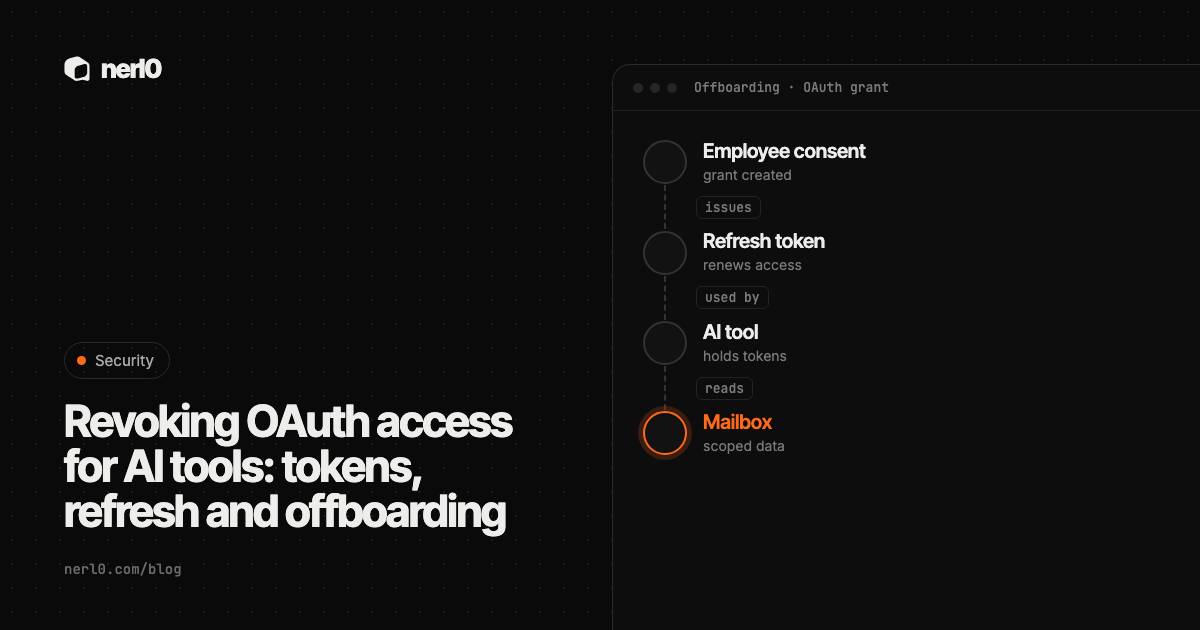
When an employee connects an AI tool to a work mailbox or drive, they usually approve an OAuth consent. The tool then holds an access token, which is short-lived, and a refresh token, which lets it get new access tokens without asking the person again. Those tokens belong to a grant, and the grant is not the same thing as the employee's account or the tool's listing in an app catalog.
The short answer: when someone leaves or a tool is dropped, revoke the grant and the refresh tokens explicitly, and do not assume that deleting an account or an app does it for you. Then remember that an access token already issued can keep working until it expires. The sources below describe the revoking actions; they do not promise that deletion has the same effect, so verify it in your own tenant.
In this piece, we will cover:
- What a consent actually creates: access token, refresh token, grant
- How long refresh tokens live and what ends them
- The standard revocation endpoint and its limits
- Admin-side revocation in Microsoft Entra and Google
- An offboarding order of steps, and where nerl0 fits
What does an OAuth consent actually create?
Two kinds of token matter here. The Microsoft identity platform documentation says a refresh token is used to get new access and refresh token pairs when the current access token expires, and that refresh tokens are bound to a combination of user and client. They are not tied to one resource or tenant. A client can use one refresh token to get access tokens for any resource and tenant where it has permission.
In Microsoft Entra, the permission itself is stored separately. Delegated permissions are recorded as OAuth permission grants on the application's service principal, and application permissions as app role assignments. Microsoft's guide to reviewing enterprise app permissions treats removing those grants as its own task, with its own Graph calls. So there are at least three things: the grant that says what the tool may do, the refresh token that keeps the tool signed in, and the access token it uses right now.
An AI tool holding these is a non-human identity that acts through a person's consent. When the person leaves, the consent can outlive their daily work.
How long do refresh tokens live?
Longer than most people expect, and the lifetime depends on the platform. Microsoft states a default refresh token lifetime of 24 hours for single-page applications and 90 days for all other scenarios, and notes that refresh tokens replace themselves on every use. Google lists several reasons a refresh token stops working, among them six months without use, the user removing access, a password change for tokens with Gmail scopes, and exceeding the limit of live refresh tokens.
| Platform | What the docs say ends a refresh token | What to take from it |
|---|---|---|
| Microsoft Entra | Lifetime elapses (90 days default for most apps); user or admin revokes; some password resets, depending on token type | A token in daily use keeps renewing itself |
| User removes access; six months unused; Gmail-scope password change; token limit; admin policy | Unused tokens expire, active ones may not | |
| RFC 7009 (any server) | Client or server revokes via the revocation endpoint | Support for related access tokens is optional |
Microsoft's table of revocation triggers shows that a password change does not end every kind of token. A password change revokes password-based tokens but, according to the table, leaves tokens from non-password sign-in and confidential clients alive. Two actions revoke all classes: the user revoking their refresh tokens, and an admin revoking all refresh tokens for the user. This matters for AI tools, which often run as confidential clients on a server.
What does the standard revocation endpoint do?
RFC 7009 defines token revocation. A client sends a POST with the token, and the server invalidates it and, where applicable, other tokens based on the same authorization grant. For a refresh token, the RFC says the server should also invalidate access tokens from the same grant, but this is a recommendation, not a requirement.
The RFC is direct about the gap. If a server does not support access token revocation, access tokens are not immediately invalidated when the refresh token is revoked. It suggests short-lived access tokens to limit that window. It also says the server answers 200 even when the token was already invalid, and that a 503 means the client must assume the token still exists. Google documents a revoke endpoint at oauth2.googleapis.com/revoke that takes a POST with a token, and says revoking an authorization removes access to all of its scopes for the user at once.
Microsoft sets a concrete number for the window. Its access token documentation says a new access token gets a random default lifetime between 60 and 90 minutes. Plan for that gap: after revocation, an already-issued access token may still work for up to about an hour or two, unless the resource server checks more often.
How do admins revoke access in Entra and Google?
In Microsoft Entra, an admin with the Cloud Application Administrator or Application Administrator role can review an app's permissions and remove them. In the admin center, you can revoke permissions granted by admins for the whole organization. According to Microsoft, you cannot revoke permissions on the User consent tab in the portal; for those you use Graph calls or PowerShell. The same page warns that revoking current permissions does not stop users from consenting again, so you also need to stop the app requesting them or restrict user consent.
For the refresh tokens of a person, Microsoft Graph offers revokeSignInSessions. It invalidates all of a user's refresh tokens issued to applications, and session cookies in the browser, by resetting the sign-in valid-from time. Microsoft says it is typically used for a lost or stolen device and that there may be a delay of a few minutes. It does not revoke sessions of external users, who sign in through their home tenant.
Google's documentation covers the other side: an admin who sets a service to Restricted makes requests fail with admin_policy_enforced, and for Google Cloud APIs an admin-set session length ends sessions with an invalid_grant error. The page I read does not describe a user-by-user admin revoke, so check the Workspace admin documentation for that step.
What should you do when someone leaves or a tool is dropped?
Treat revocation as an ordered task, not a side effect of deleting something. A sensible order, built from the sources above:
- List every AI tool and OAuth app the person or team consented to, with the scopes each holds.
- Remove the permission grants for tools that should not continue, using the platform's admin tools or Graph calls.
- Revoke the user's refresh tokens (in Entra,
revokeSignInSessions) so tools cannot silently renew. - Call the provider's revocation endpoint for tokens you hold yourself, and treat anything but a clear success as unfinished.
- Wait out the access token lifetime, then test that the tool really fails with an authorization error.
- Block fresh consent if the tool is retired, and check other authorization paths such as roles, as Microsoft's page advises.
Keep the person-to-tool link in mind for step 1. A tool that was connected under one employee's consent is easy to lose track of once that employee is gone. The read-only by default piece makes the related point that narrow permissions shrink what any leftover grant can do.
The sources I read describe explicit revocation actions. They do not say what deleting a user account or removing an app from a catalog does to tokens that are already issued, and that behavior differs by platform and setup. Revocation delays, access token lifetimes and provider limits also vary. Test the result in your own environment instead of trusting a delete button.
Where nerl0 fits
Step 1 is an inventory problem. nerl0 maps every AI agent and non-human identity and what each can reach. It connects read-only through each platform's own interfaces and reads configuration and permission data, never the contents of data stores. The OAuth apps page is where that view starts for consented applications.
Issues carry severity, evidence, an owner and a recommended breakpoint, and the next scan verifies the fix. See the Issues page. That is useful for the last step of offboarding, since you see whether the change shows up on the next scan. nerl0 reads configuration, so it does not revoke anything itself, and it cannot show whether an issued access token is still in use. As in a route is not proof of use, a path describes what is possible, not what happened.
First list what was approved: how to audit OAuth grants to AI tools.
Summary
A consent creates a grant, a refresh token and access tokens, and each can outlive the thing you deleted. Revoke the grant, revoke the refresh tokens, and call the revocation endpoint where you hold tokens. Then allow for the access token lifetime, which Microsoft sets at roughly 60 to 90 minutes by default, and test that the tool is locked out. Build the inventory first, because you cannot revoke what nobody listed.
Sources
- OAuth 2.0 Token Revocation (RFC 7009), IETF, accessed Oct 20, 2026
- Review permissions granted to enterprise applications - Microsoft Entra ID, Microsoft Learn, accessed Oct 20, 2026
- Refresh tokens in the Microsoft identity platform, Microsoft Learn, accessed Oct 20, 2026
- Access tokens in the Microsoft identity platform, Microsoft Learn, accessed Oct 20, 2026
- user: revokeSignInSessions - Microsoft Graph v1.0, Microsoft Learn, accessed Oct 20, 2026
- Using OAuth 2.0 to Access Google APIs, Google for Developers, accessed Oct 20, 2026
- Using OAuth 2.0 for Web Server Applications, Google for Developers, accessed Oct 20, 2026
Sascha writes about what AI agents and non-human identities can reach, and builds nerl0 to keep that visible.