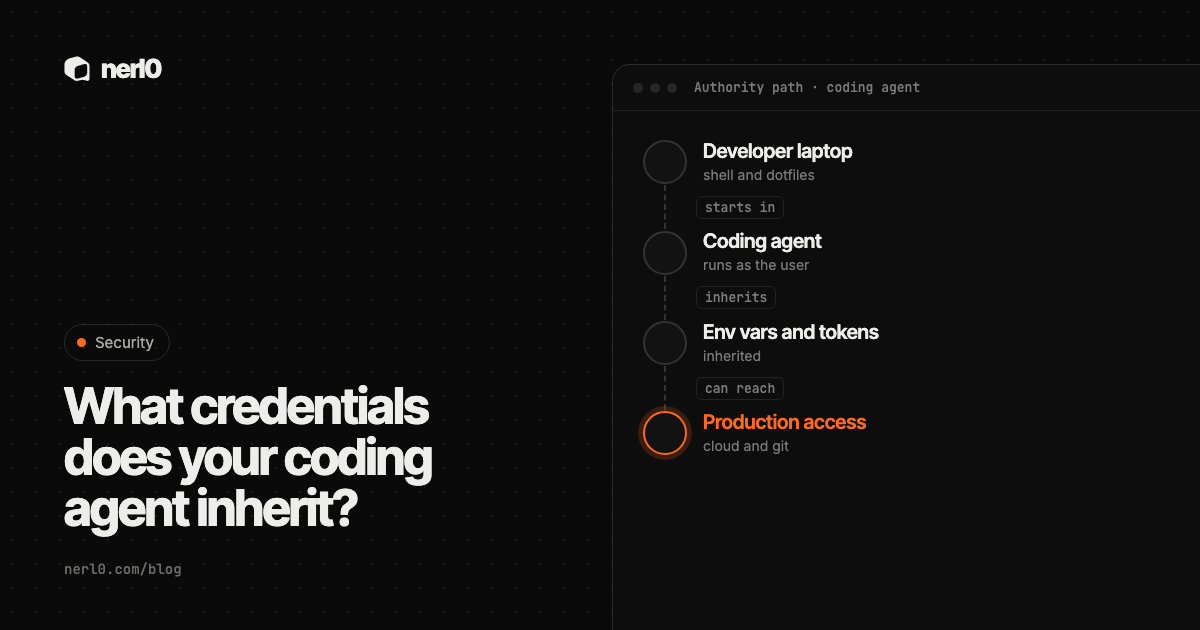
A coding agent that runs on a developer's machine usually starts in the developer's shell. It gets the same environment variables, the same files and the same tools. Nobody hands it a credential. It inherits them.
The short answer: a local coding agent can reach what the developer's user account can reach, limited only by the permission prompts, sandbox and scoping you set up. That makes the agent a non-human identity with a borrowed, often broad, set of rights.
In this piece, we will cover:
- What a coding agent inherits from the developer
- Why this is an identity problem and not only a prompt problem
- What the vendor documentation says about permissions and sandboxes
- A table of credential sources and what to check
- How to scope the agent, and where nerl0 fits
What does a coding agent actually inherit?
Infisical describes the usual setup: agents typically get credentials the way developers do, through a .env file or shell exports. The agent inherits those variables, and every script or dependency it runs inherits them too.
Claude Code's security documentation gives a second angle on files. In its default manual mode, the agent asks before its file tools read or write outside the folder where it was started. The same page notes that this boundary is a permission prompt, so a Bash command you approve can still write anywhere your user account can.
In practice that covers several places. Environment variables set in the shell, files in the project and the home directory, and tools already logged in on the machine. The agent does not need to steal anything. It acts through the session that is already there.
Why is this a non-human identity problem?
The agent acts, decides and calls tools, but it has no identity of its own. It borrows the developer's. Logs and audit trails then show a person, even when the agent chose the command.
OWASP describes the underlying risk as excessive agency. A system can take damaging actions after unexpected, ambiguous or manipulated model output, whether the cause is a hallucination or prompt injection. OWASP names three root causes: excessive functionality, excessive permissions and excessive autonomy.
Inherited credentials map straight onto the second one. OWASP's example is a read-only task running under a database identity that also has update and delete rights. A coding agent started with a developer's full session is the same pattern on a laptop.
Infisical adds the exfiltration side. Prompt injection can push an agent to send secrets out through actions it is already allowed to take, such as pull requests or curl. Infisical also notes that ignore files such as .gitignore or .cursorignore only hide files from version control or a tool's file view. They do not restrict what other processes can read.
What do vendors say about limiting the agent?
Claude Code's documentation says it starts with read-only permissions in manual mode and asks before it edits files or runs commands. It also describes a sandboxed bash tool with filesystem and network isolation, and commands such as curl and wget are not auto-approved by default. For extra isolation it suggests running the whole process inside a sandbox runtime or a dev container.
On MCP, the same documentation says project-scoped servers live in .mcp.json, but servers at other scopes, connectors and plugins are configured outside the repository. Reviewing .mcp.json alone therefore does not show every server a session can load. Anthropic says it does not security-audit or manage any MCP server.
Cloud-hosted sessions are different. According to the same page, in Anthropic-hosted environments GitHub credentials are stored encrypted on the server side and never enter the session VM. The VM holds a short-lived credential scoped to that session. GitHub's documentation for its coding agent describes a similar bounded shape: a session without write access to a repository is read-only, it works on one branch at a time, and rulesets or branch protection can block its pull requests.
The pattern across vendors is the same. The safer setups do not hand the agent the developer's session. They give it a narrow, short-lived one.
Which credential sources should you check?
Use this table as a review checklist. The first row and the MCP row come from the sources above. The rest are common places where a developer session holds access, and the checks are our suggestions, not findings from a source.
| Credential source | Where it lives | What to check |
|---|---|---|
Env vars and .env files | Shell, project folder | Which variables the agent process can see, and whether children inherit them |
| Git credentials | Credential helper, SSH keys | Whether the token can push to protected branches or many repositories |
| Cloud CLI sessions | Home directory, profile config | Which role or profile is active, and how broad it is |
| MCP configurations | .mcp.json, user config, plugins | Every server a session can load, and which credentials each one holds |
| API keys in dotfiles | Shell profile, tool config | Long-lived keys that no one has rotated |
How do you scope what an agent inherits?
- Inventory the agents. List which coding agents run on laptops, in CI and in the cloud, and who started them.
- Start from the permission mode. Prefer the vendor's manual or read-only default for sensitive repositories, and review allow rules before you widen them.
- Isolate the process. Use the sandbox, a dev container or a VM, as the Claude Code documentation suggests for untrusted content.
- Keep long-lived keys out of the agent's environment. Infisical's main recommendation is credential brokering: the real key stays in a proxy, and the agent holds only a short-lived, revocable token.
- Give a separate, narrow identity. Following OWASP, use the least privilege the task needs and enforce authorization in the downstream system, not in the model.
- List every MCP server. Check all scopes, not only the file in the repository. See MCP servers as a doorway with credentials.
- Review again. New plugins, tools and tokens change the answer every week.
Where nerl0 fits
nerl0 maps every AI agent and non-human identity and what each can reach. It connects read-only through each platform's own interfaces and reads configuration and permission data, never the contents of data stores. The Coding Agents page is where this shows up for agents of this kind.
The Security Graph shows authority paths: agent, credential, role, crown-jewel data store. Every step is an observed relationship. The Attack Path view is where you follow one of those routes step by step. Issues carry severity, evidence, an owner and a recommended breakpoint, and the next scan verifies the fix.
nerl0 reads configuration and permission data. It does not see what is typed into a developer's shell, and it does not read the contents of data stores. A path shows a route that exists. "Proven" describes the route, not that the agent used it. Every answer states what it cannot show. More in A route is not proof of use.
Coding agents often reach MCP servers too. The MCP server security checklist lists what to check before one is connected.
Summary
A local coding agent inherits the developer's session: environment variables, files, logged-in tools and MCP configuration. That makes it an identity with borrowed rights, and OWASP's excessive agency guidance applies directly. Narrow it with permission modes, isolation, short-lived credentials and a complete list of its tools. Then review again, because the developer session keeps changing.
Sources
- Claude Code security, Anthropic, accessed Oct 26, 2026
- LLM06:2025 Excessive Agency, OWASP GenAI Security Project, accessed Oct 26, 2026
- Don't Give AI Agents Your .env, Infisical, accessed Oct 26, 2026
- About GitHub Copilot cloud agent, GitHub Docs, accessed Oct 26, 2026
Sascha writes about what AI agents and non-human identities can reach, and builds nerl0 to keep that visible.